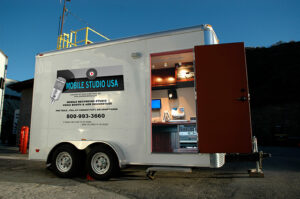
When it comes to ADR (Automated Dialogue Replacement) and voiceover recording, preparation is key to ensuring a smooth and efficient session. Mr. Dicken Berglund, an experienced ADR/voiceover recordist and Chief Engineer who has been with MSUSA since 2014, shares his expert insights on how to set up and run these sessions seamlessly. With years of experience in the industry, Dicken has worked on various projects, helping clients achieve high-quality audio recordings for film, television, and commercials.
Here are some of his expert tips and best practices for a successful ADR session:
1. Understand the Type of Recording: V/O or ADR?
Before you even start setting up, it’s crucial to clarify what kind of session you’re preparing for: voiceover (V/O) recording or ADR. The setup can vary significantly depending on the type, so knowing this upfront helps ensure that everything runs smoothly.
Key Considerations:
Microphone Choice:
For voiceover sessions, clients often prefer large-diaphragm condenser microphones for narration work due to their ability to capture rich, detailed vocals. For commercial work, a 416 shotgun microphone or similar models are sometimes used to get a more focused sound. In ADR sessions, shotgun mics and lavaliers are the standard because they match the on-set recordings and provide consistency in sound.
Client Preferences:
Always ask if the client has a specific microphone preference. Being prepared to accommodate their needs can make a big difference in how smoothly the session proceeds.
2. Check Technical Specifications: Bit Rate, Sample Rate, and File Format
Technical specifications are foundational to any recording session. Ensuring the settings match the client’s requirements ahead of time saves time and prevents issues during the session.
Key Considerations:
Bit Rate and Sample Rate:
Generally, clients prefer recordings at 24-bit, 48kHz, but it’s essential to confirm this before the session. Higher bit rates and sample rates allow for more detailed and dynamic audio recordings.
File Format:
Ask the client if they prefer Broadcast Wave (BWF) or AIFF files. Each format has its strengths, and knowing which to use ensures compatibility with their editing system.
Frame Rate:
Confirm the frame rate of the accompanying video. Common frame rates include 23.976 fps, 24 fps, and PAL (25 fps). Setting this correctly in your Pro Tools session helps sync the audio with the video and avoids timing discrepancies. Always set up your session according to the specific frame rate provided by the client.
Pro Tip:
Prepare your Pro Tools session by spotting the video to match the burn-in timecode unless otherwise requested. Additionally, organize and prepare cues ahead of time so that the session can flow without interruptions. This saves time and prevents errors during recording.
3. Plan for Attendees: In-Person or Remote?
Another key preparation step is understanding who will be attending the session. Knowing the number of people present, and whether they will be attending in-person or remotely, helps you set up the appropriate equipment and communication channels.
Key Considerations:
Physical Attendance:
Determine how many people will be physically present in the studio. This helps with seating arrangements and ensuring the right equipment (like headphones and monitors) is available for everyone.
Remote Attendance:
If clients or team members are attending remotely, set up a Zoom or similar platform in advance. Send out links to participants ahead of time and conduct a quick test to ensure audio and video feeds are working correctly. This prevents delays and technical difficulties when the session begins.
Pro Tip:
If you’re using Zoom or another video conferencing tool, make sure the audio routing is set up correctly so that remote participants can hear the playback clearly and communicate effectively. Use direct audio feeds instead of relying on built-in microphones to improve sound quality for those attending remotely.
4. Plan Delivery Methods: How Will You Send the Final Product?
Once the session is complete, how you deliver the final audio to the client is just as important as the recording process itself. Be sure to clarify this with the client ahead of time to avoid any last-minute confusion.
Key Considerations:
File Transfer Options:
Common options include WeTransfer, hard drives, or other online transfer services. Make sure you have the client’s preferred method ready, and if you’re using online services, check the file size limits and ensure the files are compressed correctly, if necessary.
Backup and Redundancy:
It’s always a good idea to create a backup of the session files and finished audio on a separate drive. This provides a safety net in case there are issues with the original transfer.
Pro Tip:
When sending large files, let your client know how long the transfer will take and provide them with any necessary instructions on how to download or access the files. This keeps communication clear and prevents delays on their end.
Why Preparation Is Essential
Dicken Berglund emphasizes that thorough preparation sets the tone for a successful recording session. Here are a few reasons why these preparation steps are critical:
Efficiency:
By addressing technical specifications, equipment setup, and delivery methods beforehand, you can avoid hiccups that waste time and disrupt the flow of the session. This helps maintain a professional atmosphere, especially when working with clients who have tight schedules.
Professionalism:
Being well-prepared shows clients that you are reliable and capable of handling their needs. This builds trust and can lead to repeat business and positive referrals.
Confidence:
When everything is set up correctly, you can focus on the creative and technical aspects of recording rather than troubleshooting issues. This makes the session more enjoyable for everyone involved.
Final Thoughts: Expert Preparation for Seamless Sessions
Setting up for an ADR or voiceover session goes beyond just plugging in microphones and pressing record. By following these expert tips from Dicken Berglund, you can ensure that your sessions run smoothly, efficiently, and professionally:
- Clarify the type of session and microphone preferences to match the client’s needs.
- Confirm technical settings such as bit rate, sample rate, and frame rate.
- Plan for attendee logistics, whether they are in-studio or joining remotely, and ensure smooth communication.
- Establish clear delivery methods for the final product to prevent any last-minute issues.
Thorough preparation builds confidence not only for you as the engineer but also for your clients. It shows them that you are in control and ready to deliver the best possible results, ensuring they return for future projects.
For more information on Dicken Berglund’s work, you can check out his profile on IMDb.